Guides · Player guide
The player side of JoomSlot: lobby, demo points, purchase and withdraw
A JoomSlot site gave guests 1000 demo points and a game ID on arrival, and members a menu of eight pages for buying, withdrawing and checking history.
Archived product JoomSlot is no longer offered. Downloads, API keys, the game server and support are gone, so this page describes how version 1.0 worked in 2021.
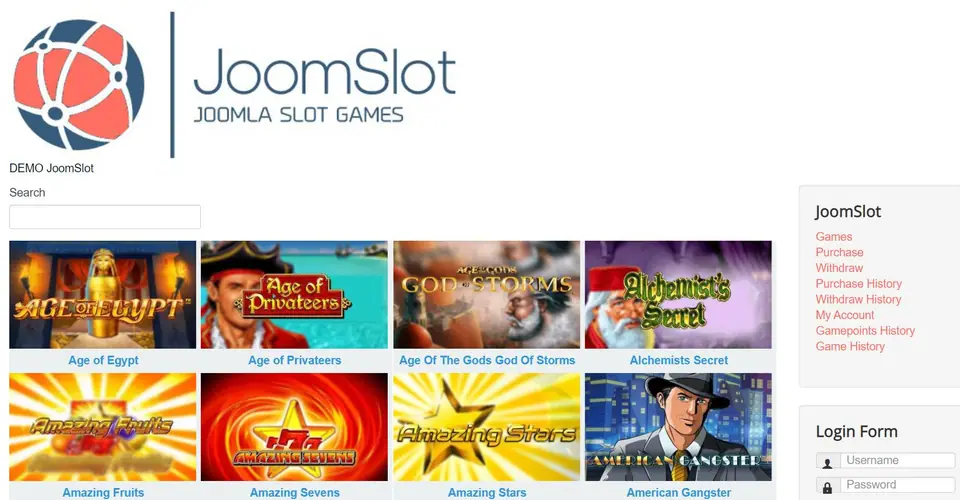
DEMO JoomSlot, a search box, and eight slot tiles under the logo: that's the front page from the old manual, with the JoomSlot menu and a login form down the right side. The front end was built from that menu module, which a webmaster had to enable, and a lobby page. JoomSlot is retired now and none of these pages work anywhere; this is a record of what a player saw in 2021.
Guests and the lobby
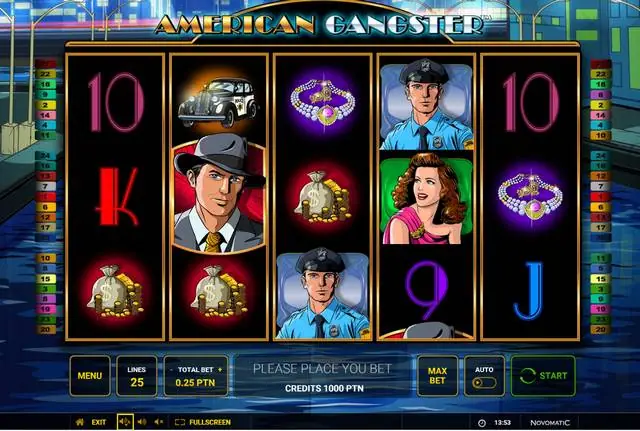
The Games page listed every slot the game server offered. A guest could click one straight away. On opening the page, JoomSlot quietly created a temporary game ID with 1000 demo points. You can see that on the American Gangster screen below: 25 lines, a total bet of 0.25 PTN and CREDITS 1000 PTN, with the maker's name, Novomatic, in the bottom corner.
Registered members got a game ID as well, but theirs started with nothing in it. To play with a member account you had to buy points, which is where the rest of the menu came in. The old page said "several hundred" games; I can't confirm the number.
Buying and withdrawing
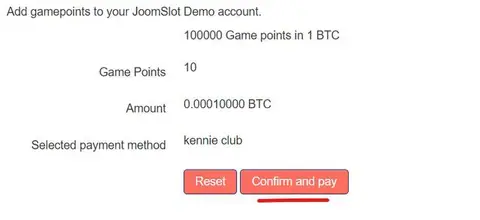
Purchase was a short form: how many game points, the Bitcoin amount worked out at the default rate of 1 BTC to 100,000 points, and the payment method (the Kennie.club BTCPay plugin). The full flow, through to the BTCPay invoice, is in the purchase guide.
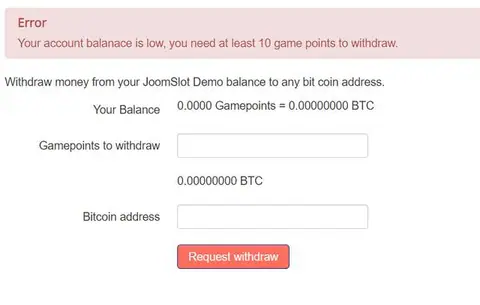
Withdraw showed your balance in game points and in BTC, a box for the amount and, once you had a balance, a field for a Bitcoin address. The manual advised a new receiving address for every withdrawal. With nothing in the account it just shows an error:

That 10-point minimum was the 2021 default. What happened after a player pressed the button is in the withdrawal guide.
The history pages
Purchase History listed each order with amount, payment status, points, whether the points were added, a transaction ID and the date. In the demo account, order 113 failed and its points were "Not Added"; the other three were confirmed.
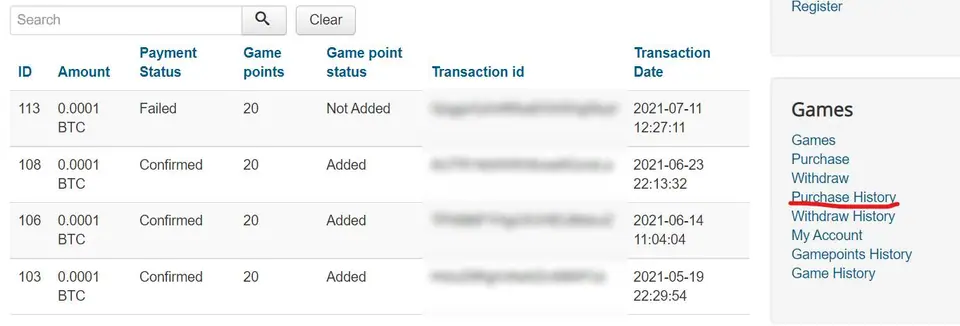
One oddity: every row shows 0.0001 BTC buying 20 points, which is twice what the stated default rate gives. Either the demo used a different rate or the page rounded the amount. I can't tell which.
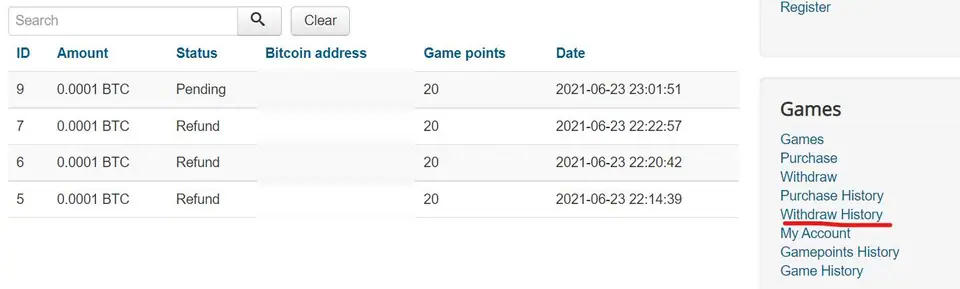
Withdraw History showed each request's amount, status, address, points and date. The demo has one Pending and three Refund.
My Account summed it up: Game points, Total In, Total Out and Bonus, with buttons to purchase or withdraw. Gamepoints History and Game History showed point movements and the per-game log.
What the webmaster saw on the other side is in the backend guide. Every guide is listed under guides, and the JoomSlot product page has the background. If you just wanted the games, you'll have to get a game ID from a platform that's still running.
Only adults (18+) should gamble, and online gambling is restricted in Malaysia. Set a spending limit first; responsible gaming has tips.
Questions people asked
Did guests need to register to play?
No. Opening the games page gave a guest a game ID with 1000 demo points automatically. The American Gangster screenshot shows CREDITS 1000 PTN before the first spin. Registered members got a game ID too, but theirs started empty and had to be topped up.
Where did a player's withdrawal go after they asked for it?
Into a list in the site's back end, where the webmaster had to pay it by hand through BTCPay. The player's Withdraw History only showed a status such as Pending or Refund.
Slot games are real-money gambling for adults 18+, and online gambling is restricted in Malaysia. Set a limit before you top up. Responsible gaming.